Install guide
How to install the /share skill
Step-by-step walkthrough with screenshots. Takes about 60 seconds.
Video walkthrough
Install path
Or install as an MCP
One URL, no file download
If you use Claude Desktop, Cursor, Cline, or Windsurf, you can install sharable.link as a remote MCP server. No Node.js, no file upload — just add this to your MCP config:
{
  "mcpServers": {
    "sharable": {
      "url": "https://sharable.link/mcp"
    }
  }
}
Restart your client. You'll get three tools: share_html, update_page, and unshare_page.
2Upload it as a skill in Claude
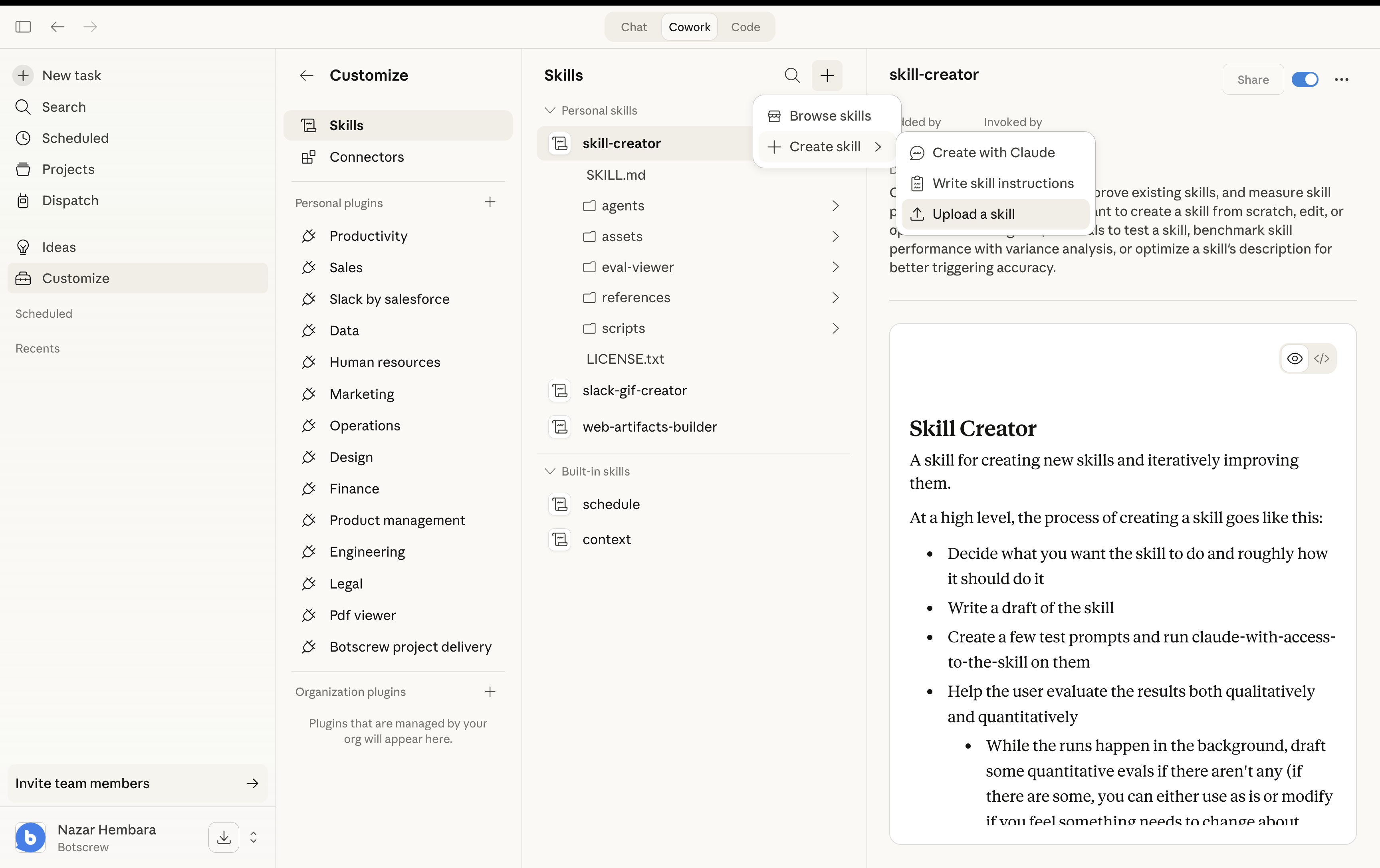
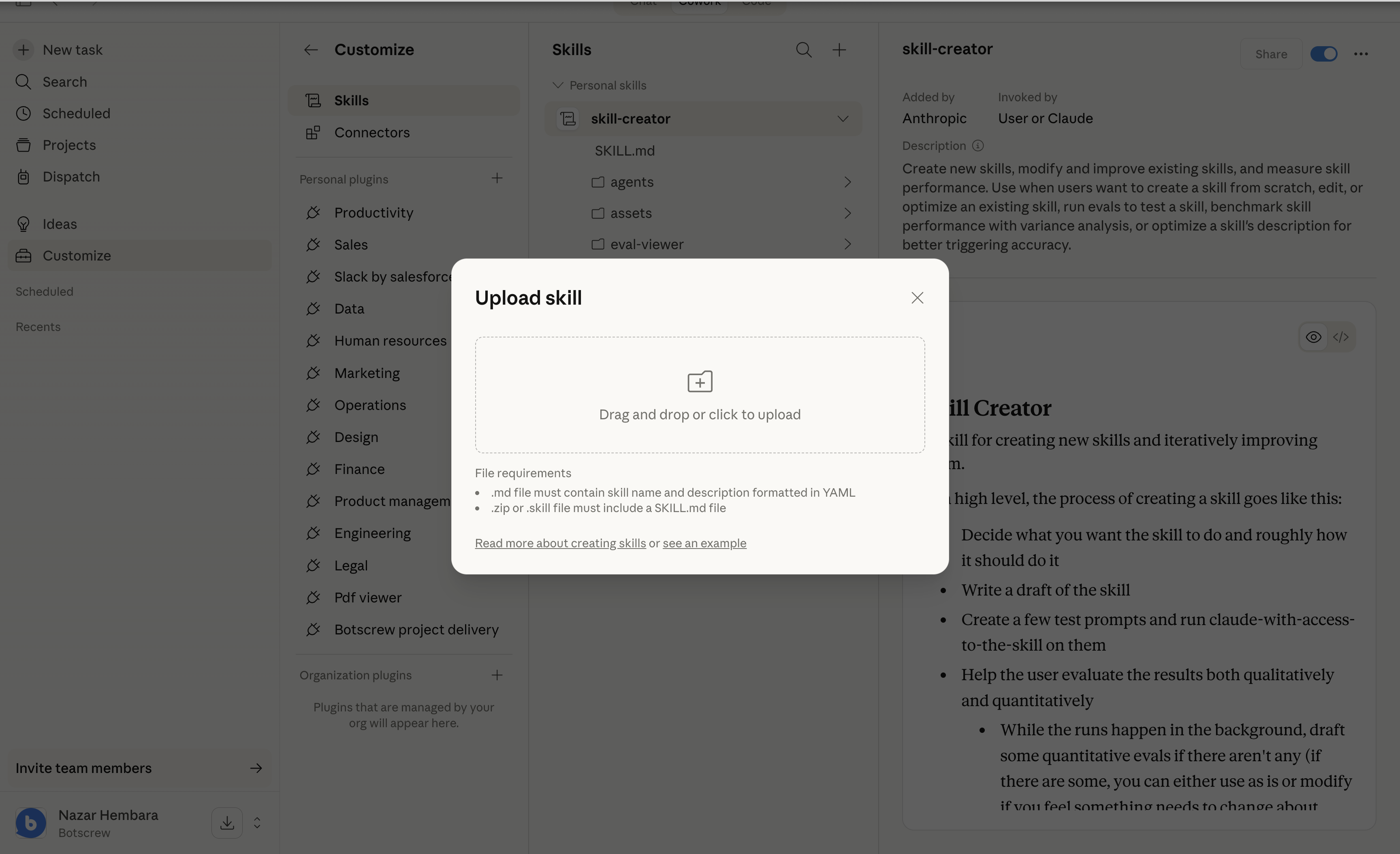
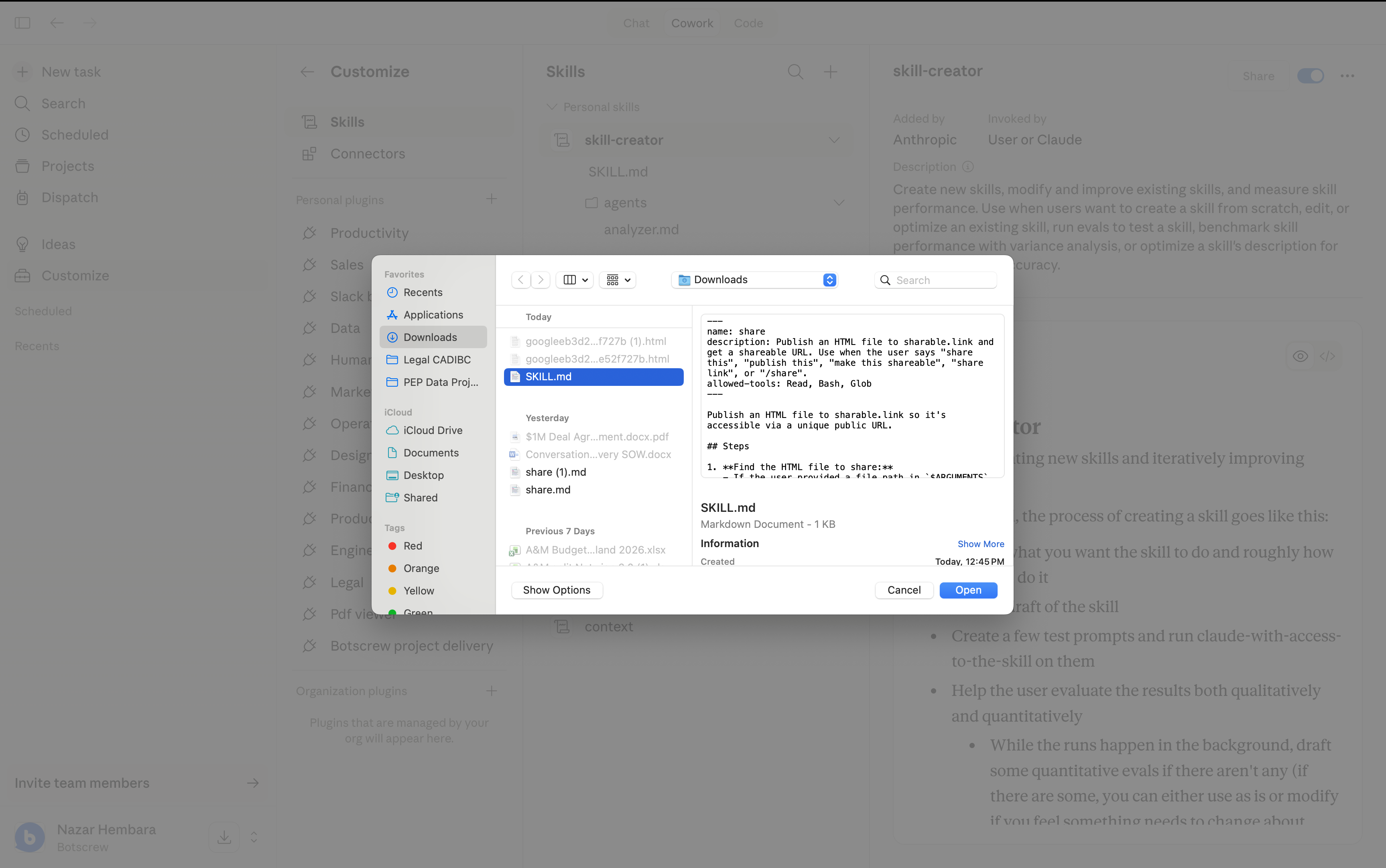
Go to Customize → Skills → + → Create skill → Upload a skill.
3The skill is now installed
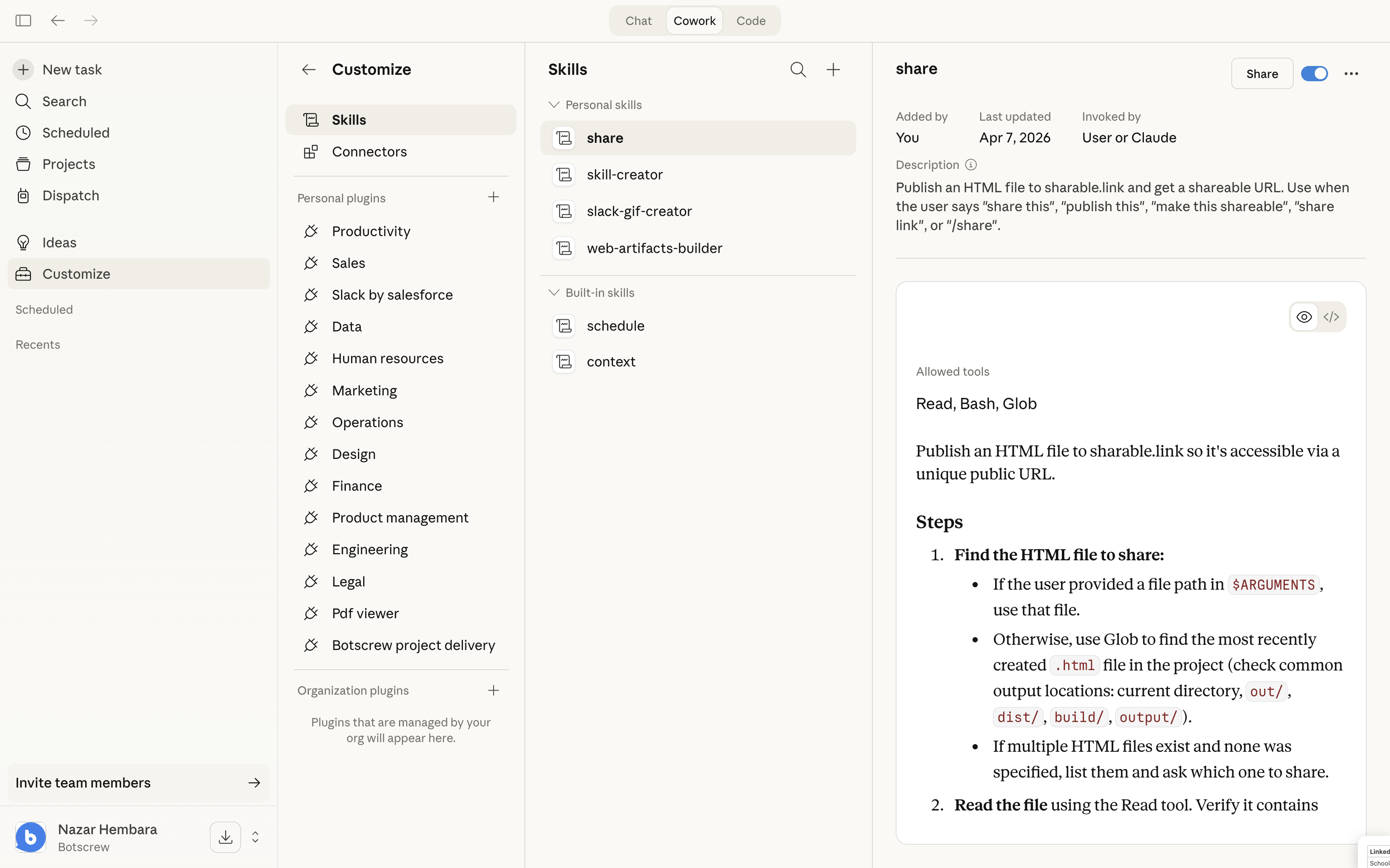
You’ll see “share” in your personal skills list, ready to use.
4Enable network access
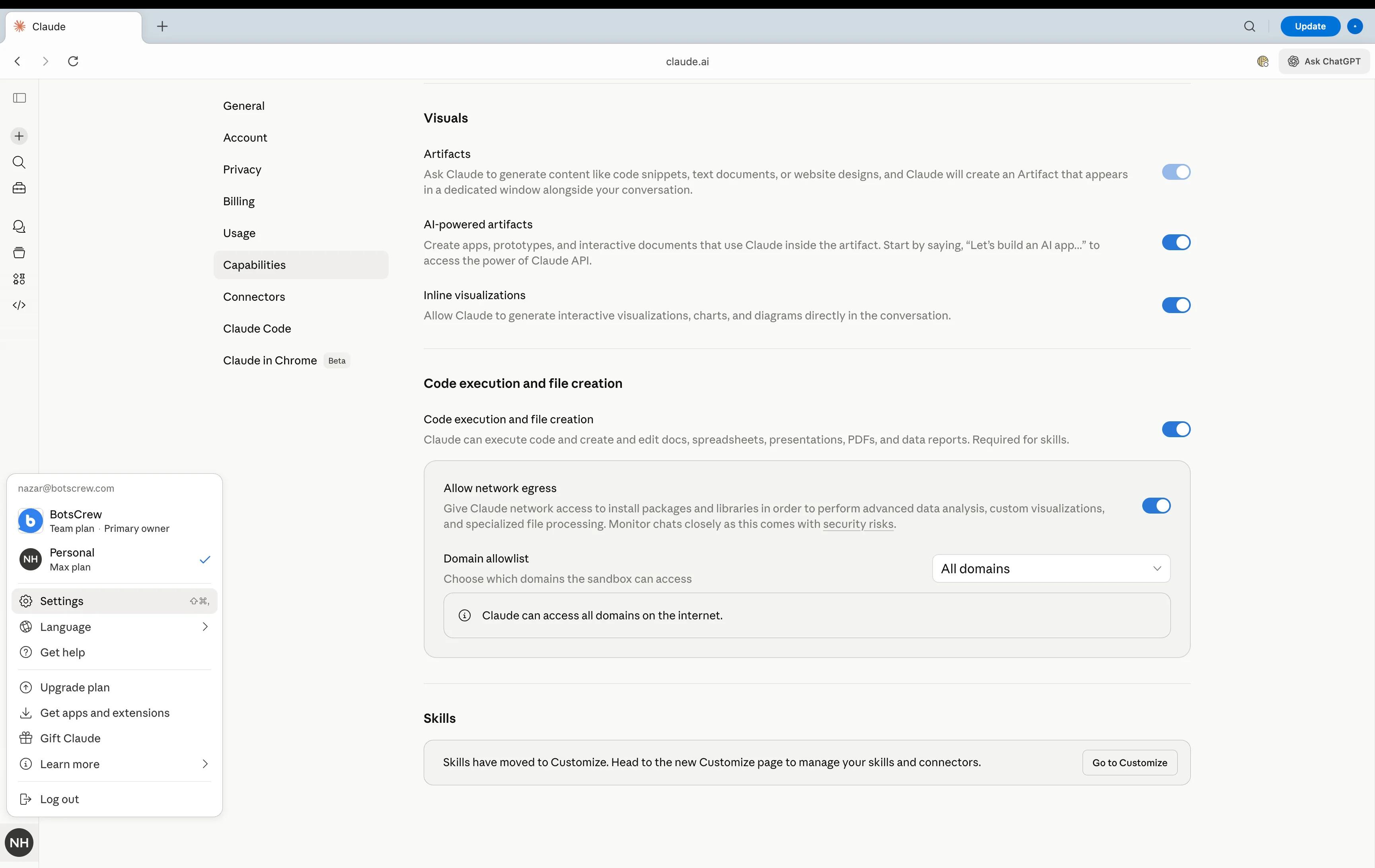
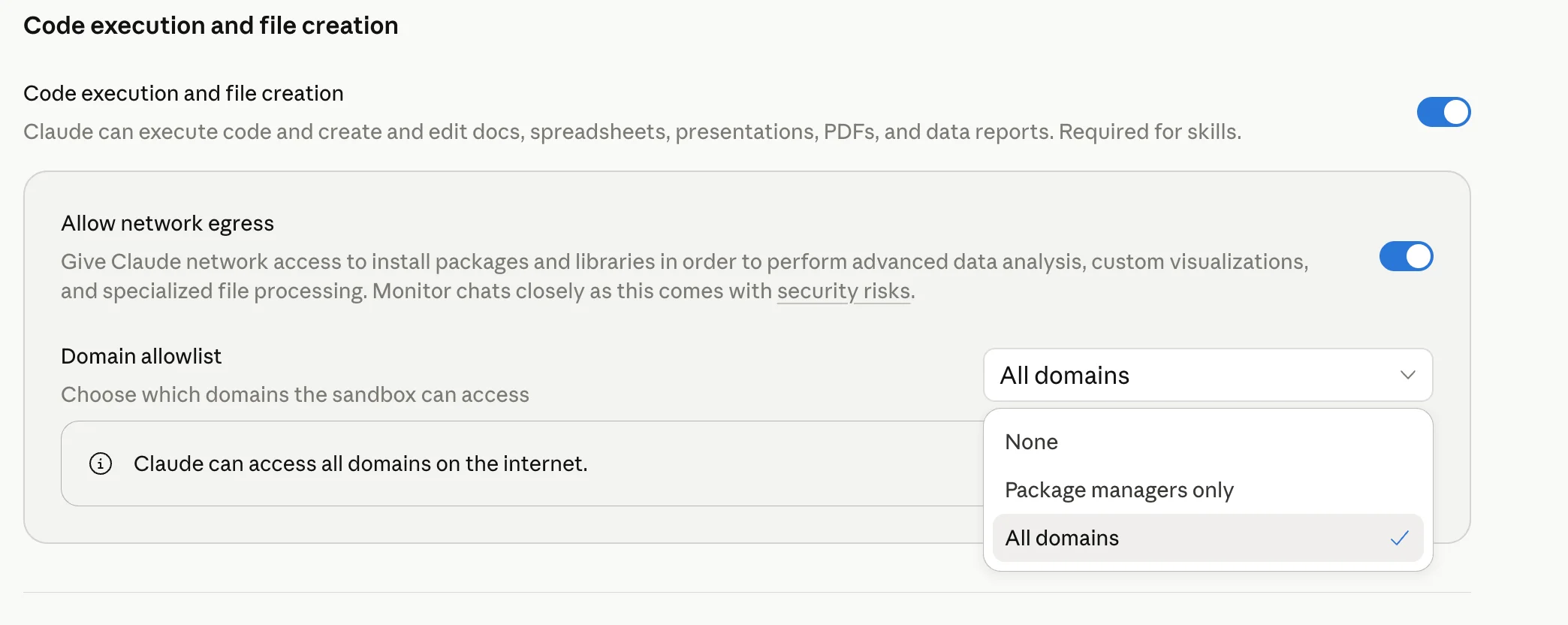
Go to Settings → Capabilities. Enable “Allow network egress” and set Domain allowlist to “All domains”. Then start a new chat.
5Ask Claude to build something
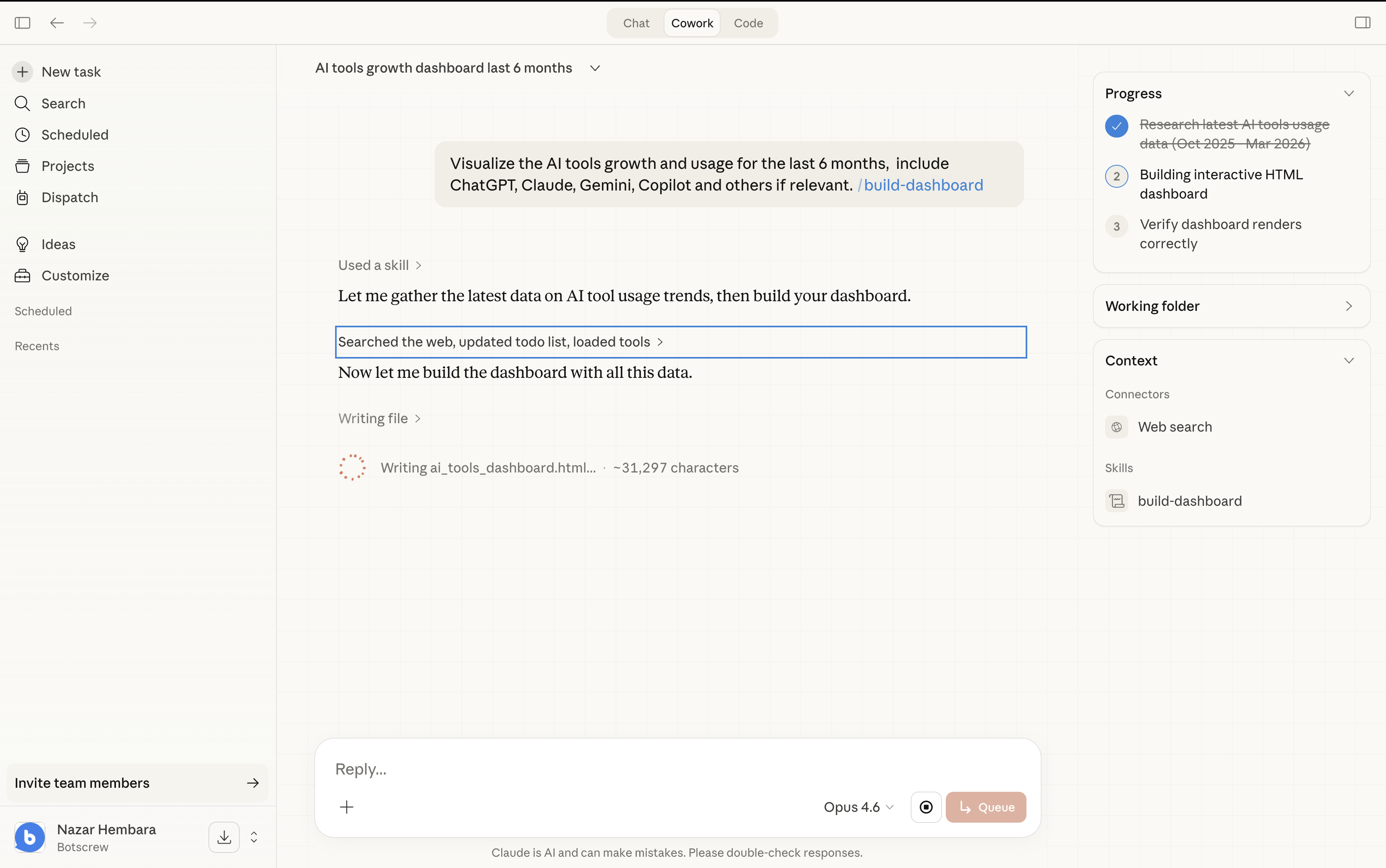
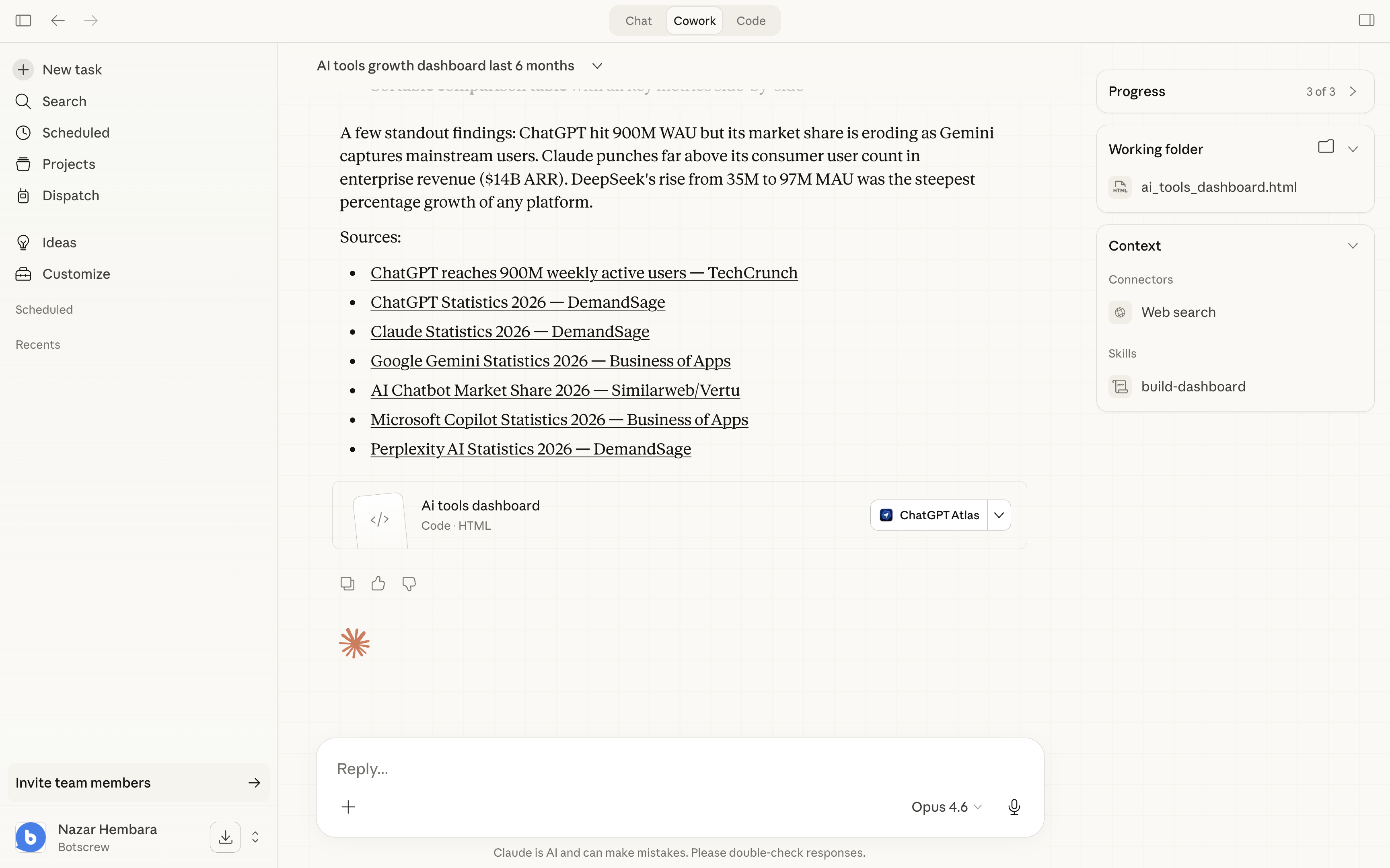
Ask Claude to create a dashboard, report, landing page, or any HTML output.
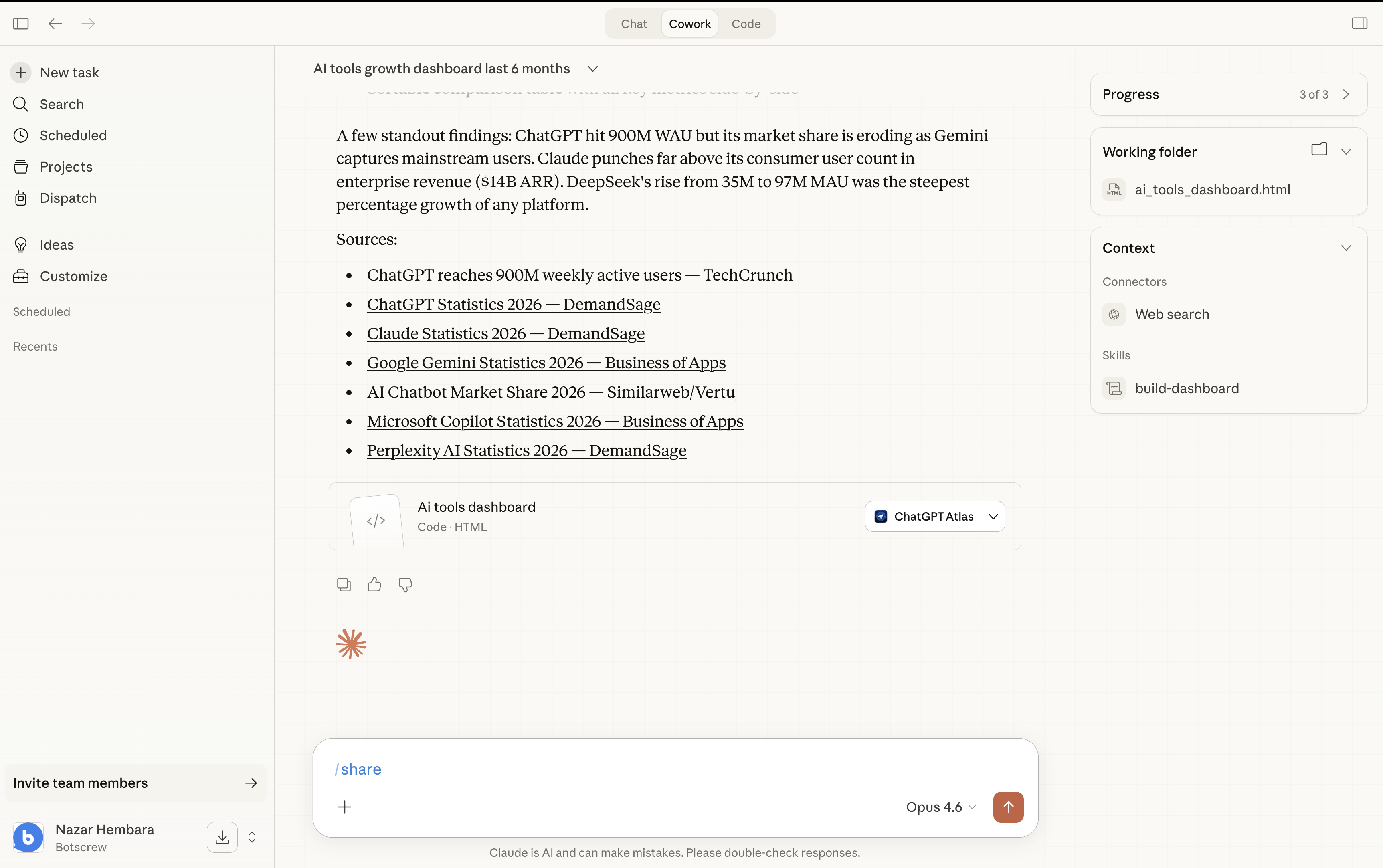
6Type /share
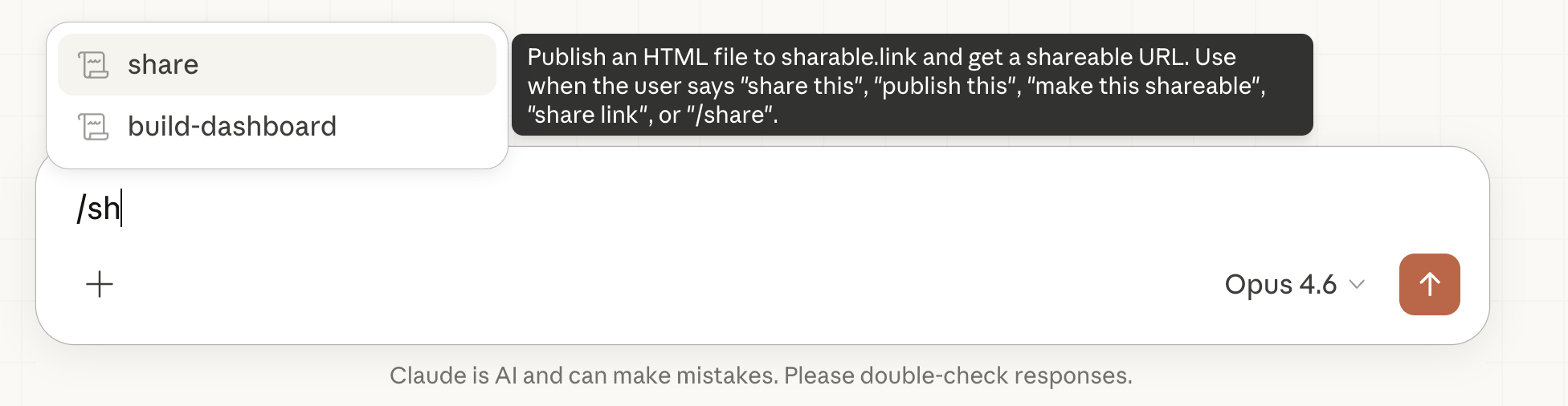
Start typing /sh and the share skill appears. Hit enter to run it.
7Get your shareable link
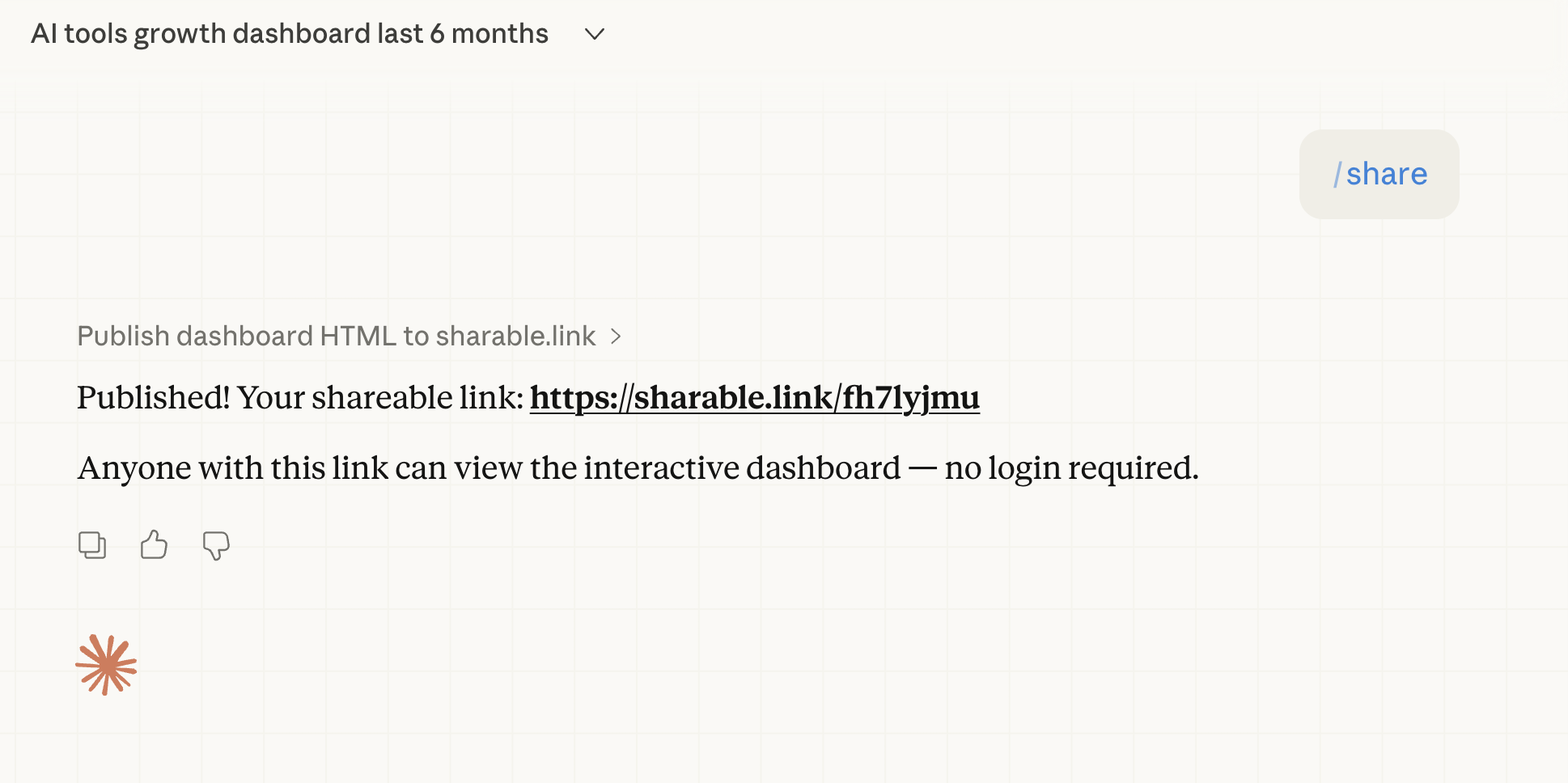
Claude publishes the HTML and gives you a clean URL. Anyone can open it — no login needed.
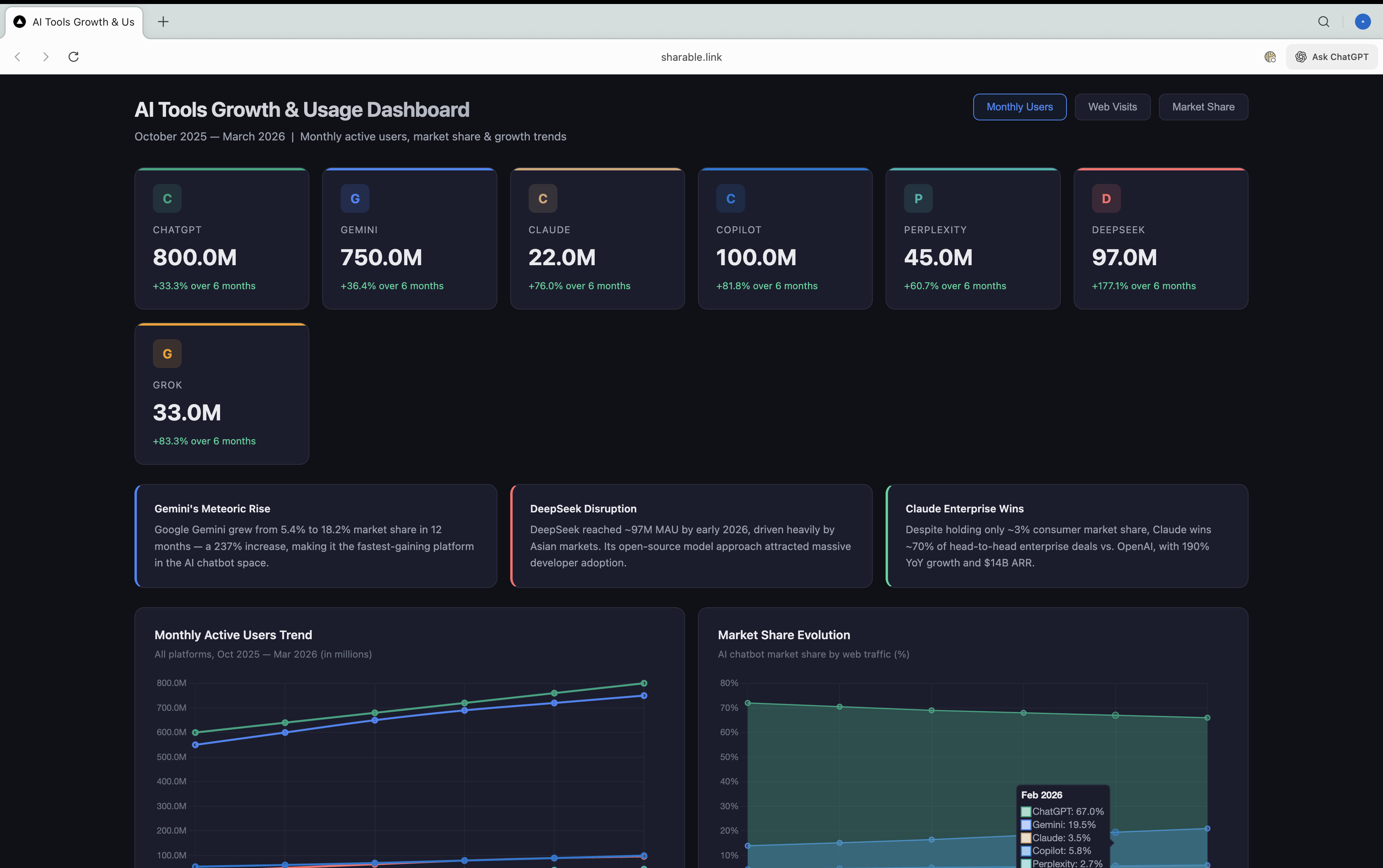
8Anyone can view the result
Getting a network error?
If the skill fails with a network or allowlist error, your Claude sandbox is blocking outbound requests. Quick fix:
- Go to Settings → Capabilities
- Enable Allow network egress
- Change Domain allowlist to All domains
- Start a new chat — settings don't apply to the current conversation